Oversight Agent (ConnectWise)
Last updated: March 20, 2026
Updated Mar 20, 2026 by Andrew Feng (Product Manager)
Overview
Introducing ConnectWise Oversight Agent - zofiQ Agentic Platform 🚀 - Watch Video
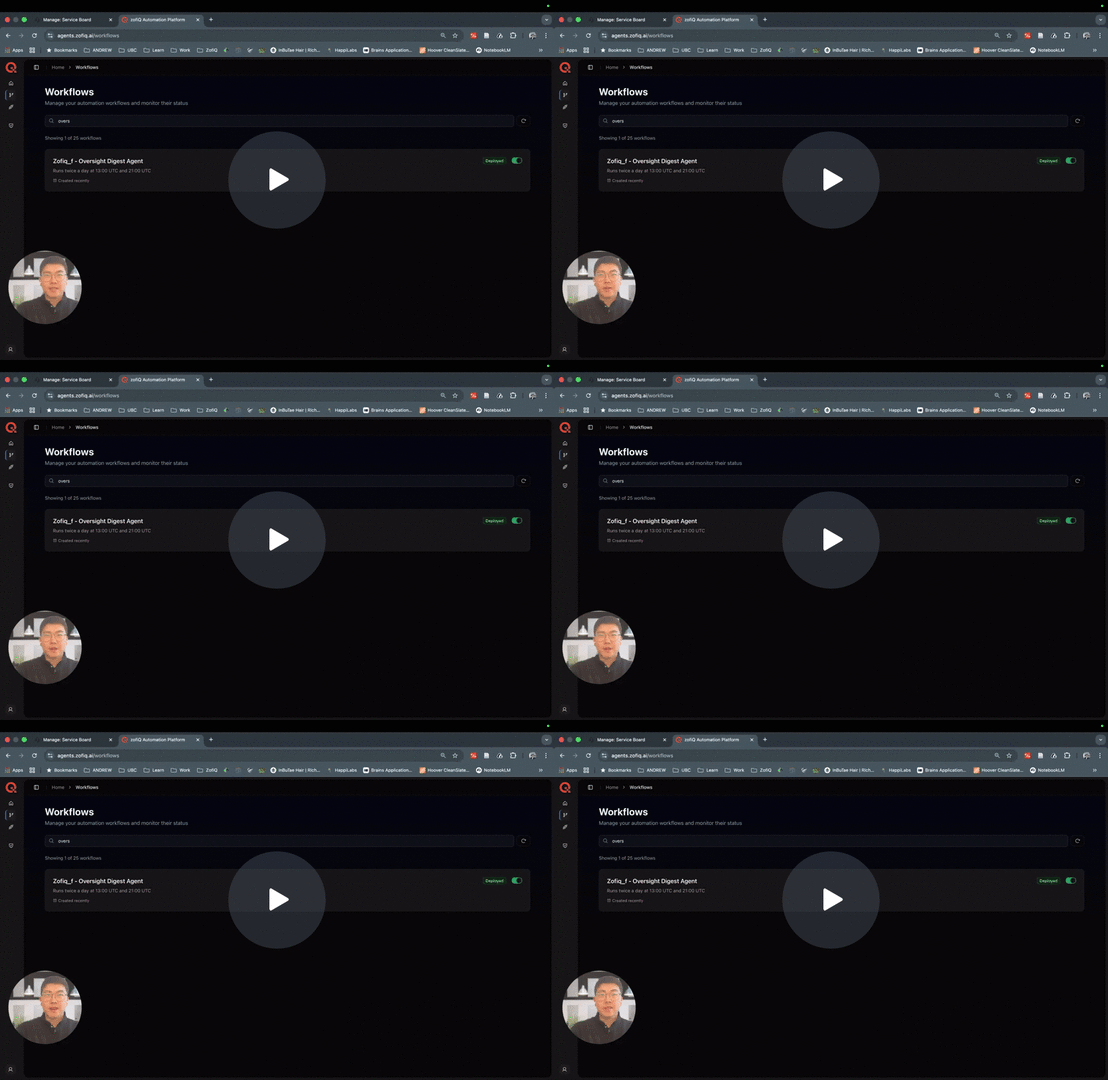
The Oversight Digest Agent is a read only monitoring agent designed to identify potentially orphaned tickets and reduce the risk of SLA breaches across your service desk.
Unlike triage or execution agents, the Oversight Agent does not modify tickets or take automated action. Instead, it continuously monitors active tickets and delivers structured reports that highlight work that may be at risk of being missed, forgotten, or allowed to breach SLA.
Its primary objective is operational visibility. By surfacing tickets that are open for a long time in breach or approaching breach, the Oversight Agent provides managers and team leads with a clear, actionable oversight layer without introducing any operational risk.
SLA Breached is defined as tickets that have already exceeded one or more of their configured SLA targets.
At Risk of Breach is defined as tickets that have less than one hour remaining before one or more of their SLA target is reached.
When This Agent Runs
The Oversight Agent runs on a fixed time based schedule and can also be triggered on demand.
When the agent is enabled, it executes automatically:
13:00 UTC
21:00 UTC
These twice daily runs ensure consistent monitoring coverage across the workday without requiring manual intervention.
In addition to scheduled runs:
Users can generate an on demand oversight report directly from the configuration panel through the righthand side simulation modal.
On demand reports use the same monitoring logic and reflect real time ticket data at the moment of execution
The agent runs independently of ticket events. It does not rely on ticket updates to trigger execution.
Report Delivery
Reports are delivered via email
Emails are sent from: info@zofiq.ai
Delivery follows configured schedule for each report
What This Agent Can Change
The Oversight Digest Agent is read only.
It does not:
Modify tickets
Update fields
Trigger workflows
Write data back to your PSA
All outputs are informational and delivered only through oversight reports sent to configured email recipients.
Example Report Content
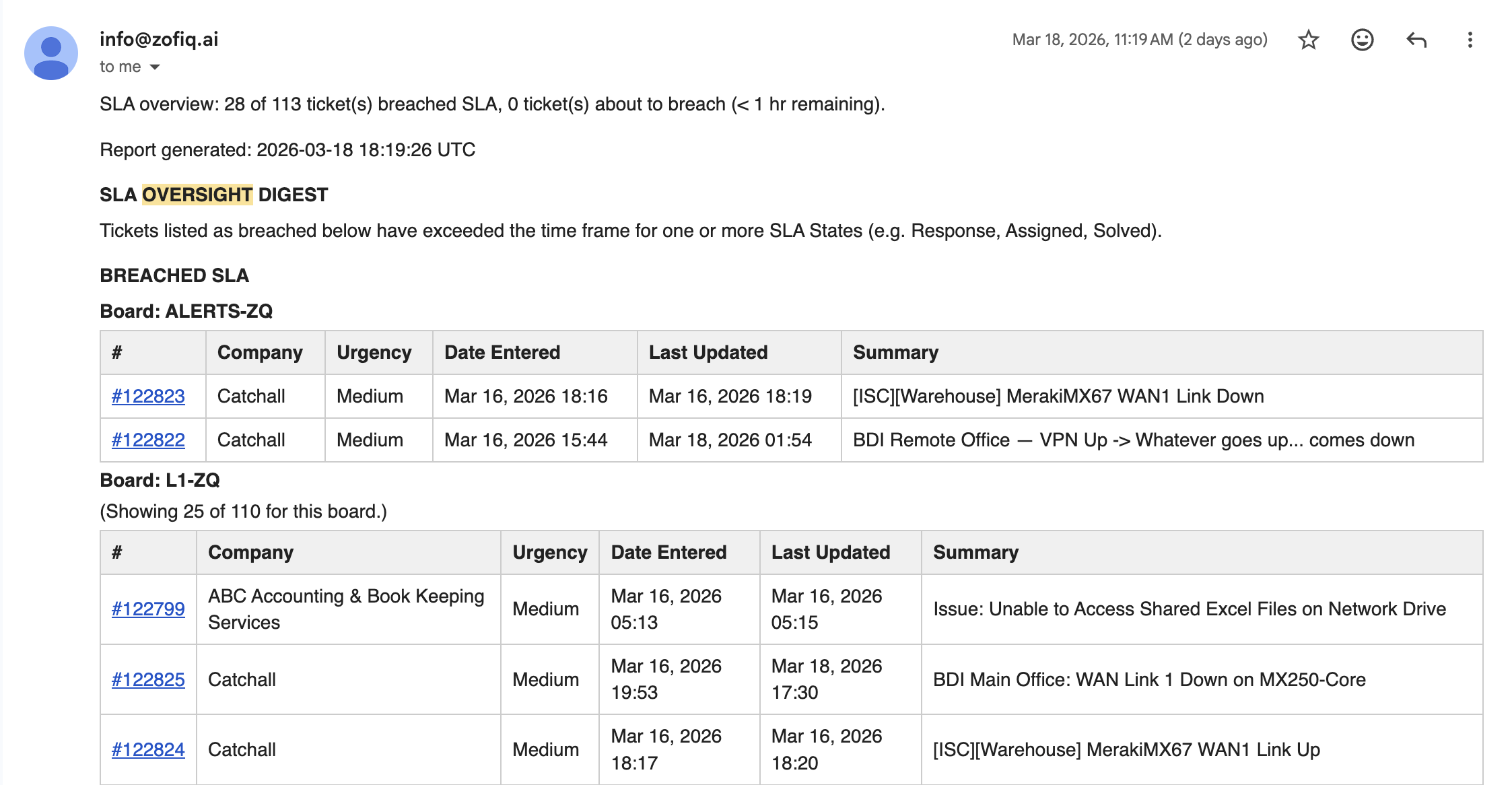
Oversight reports focus on identifying actionable risk rather than summarizing trends.
Reports may include:
A summary of total tickets in breach and at risk
A list of tickets that have already breached SLA
A list of tickets approaching breach within one hour
Breakdown by SLA state (Respond, Plan, Resolve)
Recommended areas of focus for immediate intervention
Tickets are organized in tabular format and grouped by board for clarity.
Each table includes:
Ticket Number (hyperlinked to the ticket in your PSA)
Company Name
Urgency
Date Entered
Last Updated Date
Ticket Summary
This structure allows teams to quickly scan, prioritize, and take action on the tickets that require immediate attention.
SLA Breach Criteria
The Oversight Agent relies entirely on SLA evaluation as defined within ConnectWise.
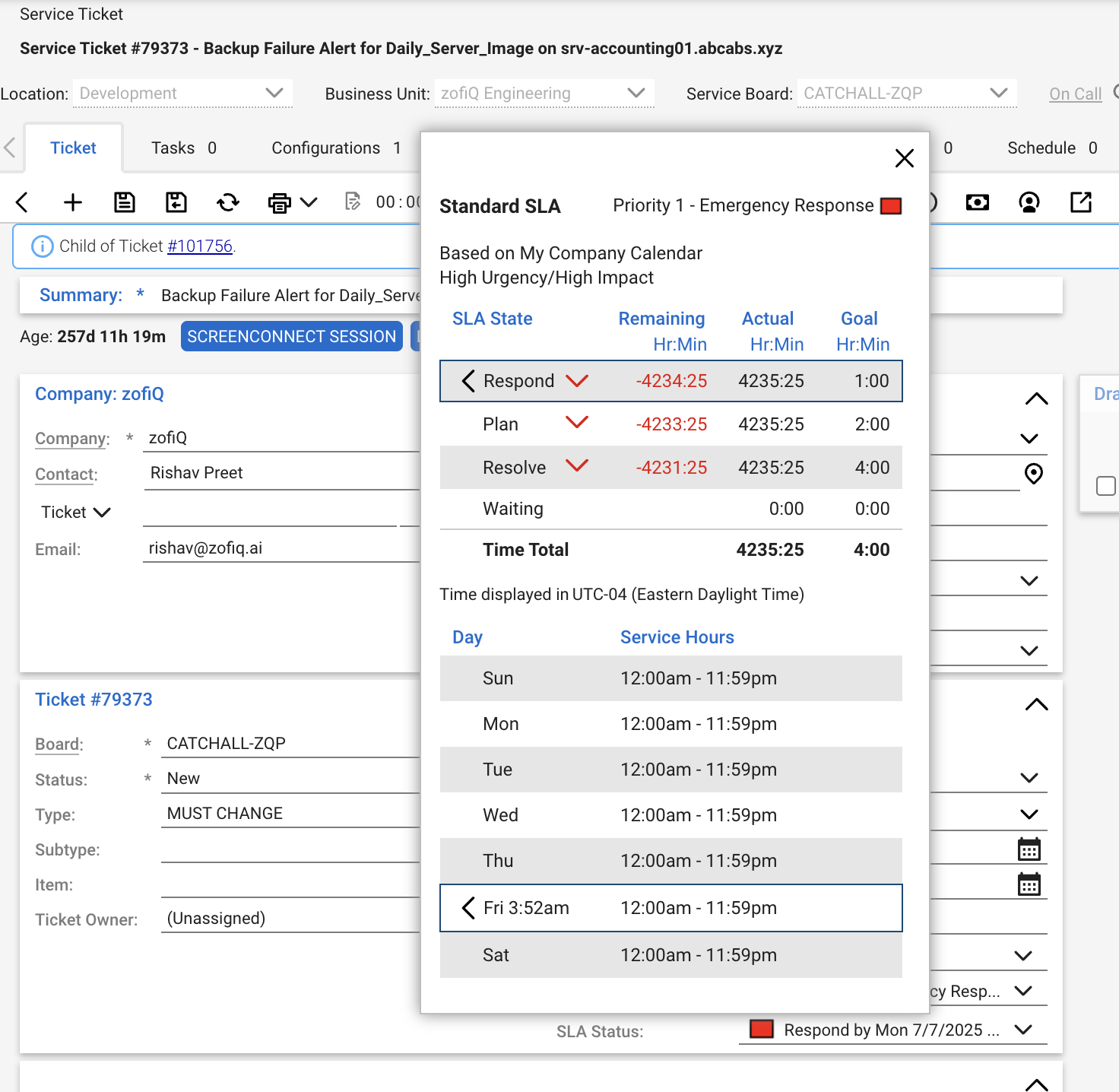
A ticket is considered SLA Breached if one or more of the following SLA Status SLA states are marked as breached in ConnectWise:
Respond
Plan
Resolve
If any one of these states is in a breached condition, the ticket will be included in the SLA Breached category.
A ticket is considered At Risk of Breach if it has less than one hour remaining before breaching any of the above SLA states.
Important Notes
SLA status is determined strictly by ConnectWise and is not recalculated by the agent
The agent evaluates each SLA state independently
A breach in any single state is sufficient to flag the ticket
Tickets without an SLA or without an SLA status are not included in oversight reporting
This ensures that all reported breaches are fully aligned with your existing SLA configuration in ConnectWise.
Configuration Options
The Oversight Agent supports configurable targeting and delivery to ensure reports are relevant and actionable.
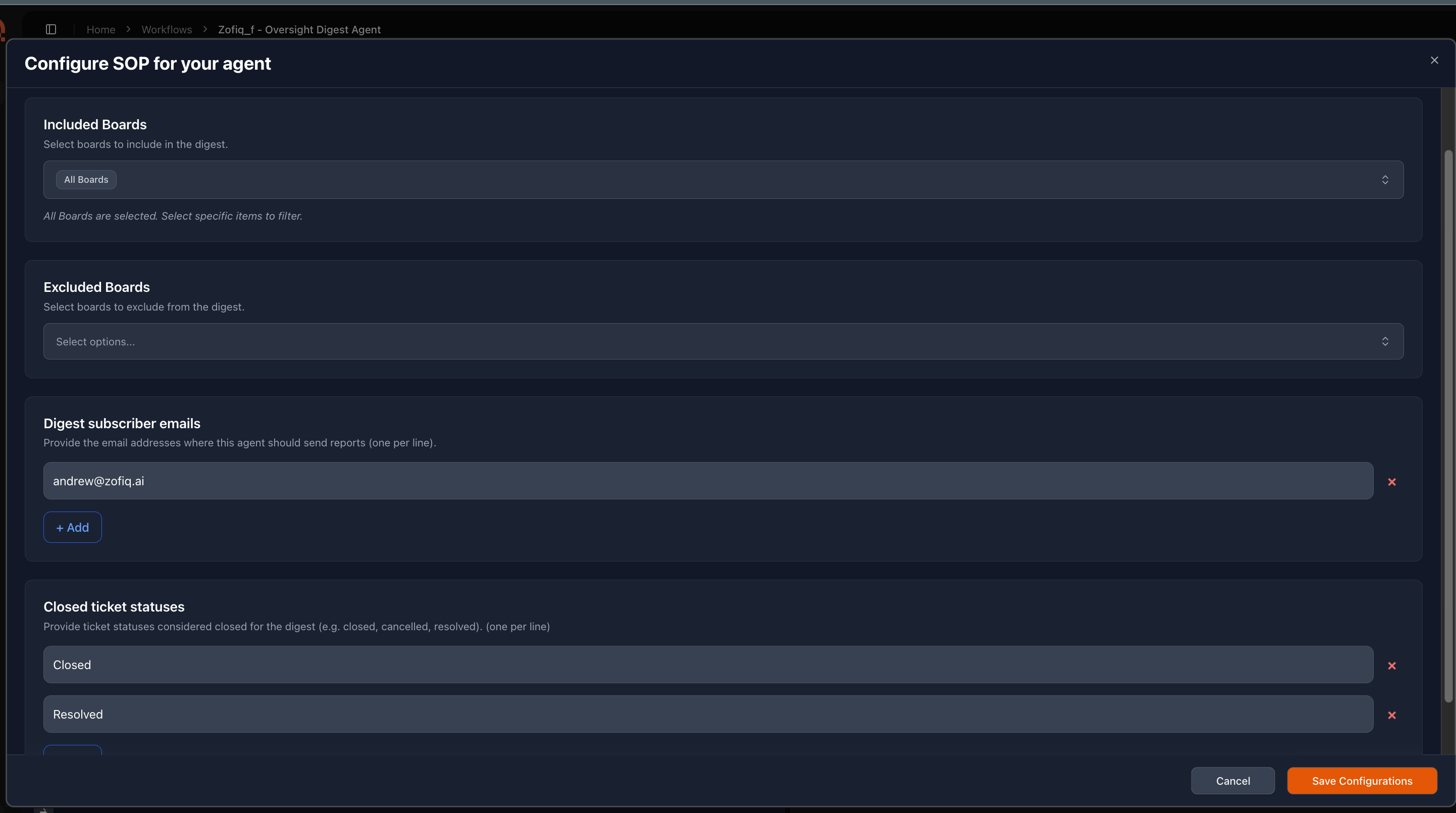
Available configuration options include:
Boards to Include
Define which boards the agent should monitor.
Leaving this blank will include tickets from all boards
Selecting specific boards limits evaluation to those boards only
Excluded Boards
Optionally exclude specific boards from evaluation to further refine scope
Closed Status Exclusions
Define which closed ticket statuses should be ignored by the agent
This prevents reports from being polluted by tickets that have already been resolved
For example, tickets that breached SLA but are already closed may not require attention
Users can specify which statuses should be excluded from oversight evaluation
Digest Subscriber Emails
Configure one or more email addresses to receive oversight reports
The execution schedule (twice daily) is fixed and cannot be modified.
If you have any other questions or concerns you can reach out to support@zofiq.ai